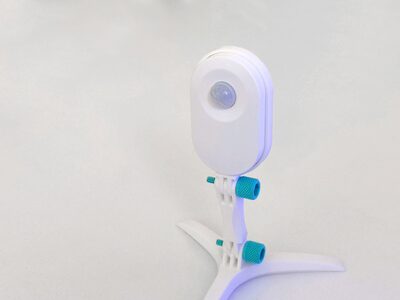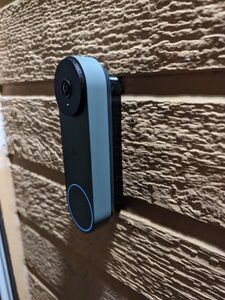
Google Nest Gen 2 Wired Doorbell Spacers (Flat & Angled)
MakerWorld · bri0nac

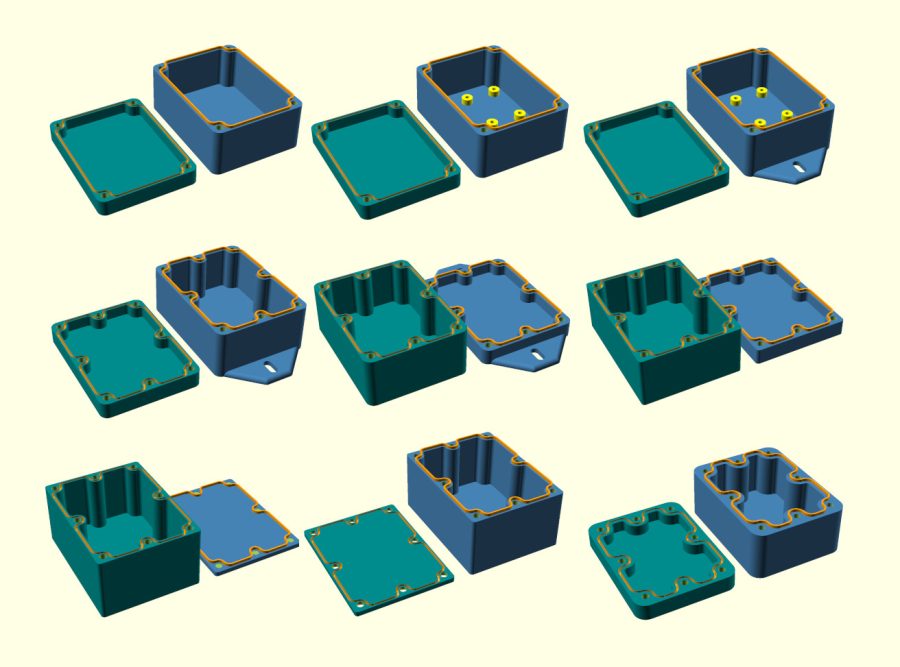
autor pb-tec · Printables
Licence (CC BY-NC (jen nekomerčně)) dovoluje jen nekomerční použití. Stáhněte si soubor u zdroje, nahrajte ho k nám a vytiskněte na pronajaté tiskárně pro vlastní potřebu, ne na prodej.
Nahrát soubor a vytisknoutStable and waterproof OpenSCAD case V7.4 by pbtec See here a wonderful comment from a user: “This is INSANE! You sir deserve deserve the biggest applaud out there. This is a box to rule them all! … I have to admit I first didn't understand what you meant with SCAD possibilities, and resized it on my own by cutting xD then I checked out SCAD version and my jaw simply dropped to the ground! … This is a GREAT project!” Highly scalable electronic case for 3D printing. Try it out! You’ll need to download the free, opensource OpenSCAD software from https://openscad.org/ and install it. Once installed, open the ".scad" file in Openscad. Activate Customizer under View/Customizer and have fun experimenting! Fixed version 7.4 It seems that special characters in the code have again led to the code not working properly for some. I apologize for this. I have now created a new version 7.4 where this is fixed. I would be very interested to know if everything works as expected for you now. Thanks for your feedback in the comments Enhancements in Version 7.2: • Hot melt copper nut support • Screw hole options: Can be configured to pass through the entire case, with the option to position the nut at the bottom of the case • Flexible mounting options: 1 to 3 holes on all sides for cable glands or switches • Improved PCB support: Now compatible with up to 3 different PCBs holders instead of just one • Base bottom mounting holes added (not recommended if the housing should be highly waterproof) • Gasket can now be printed (TPU). • Expanded screw support: In addition to countersunk screws, round, flat, and hex head screws are now supported I would love to hear whether you like the new version! No support needed to print You don't know Openscad? No problem. Customize the case in Openscad and then export the stl file from Openscad (F6 then F7). Then Import the stl file into your best known 3d program to make holes for example. You can also make the holes afterwards with the d
MakerWorld · bri0nac
MakerWorld · R C 3D
MakerWorld · IXPatch
MakerWorld · Ukdavewood
MakerWorld · keeeal
MakerWorld · vr6syncro
MakerOnline · FlwidPrint
MakerOnline · FlwidPrint
Cookies a měření. Nezbytné cookies jsou vždy; měření návštěvnosti a reklamy jen s vaším souhlasem. Víc o cookies